Re-tune your qualification rules and re-judge
What you'll get: sharper qualification rules and fresh verdicts that reflect them.
When your sense of the "right" customer sharpens, your qualification rules should too. Here's how to update them and get fresh verdicts.
Steps
-
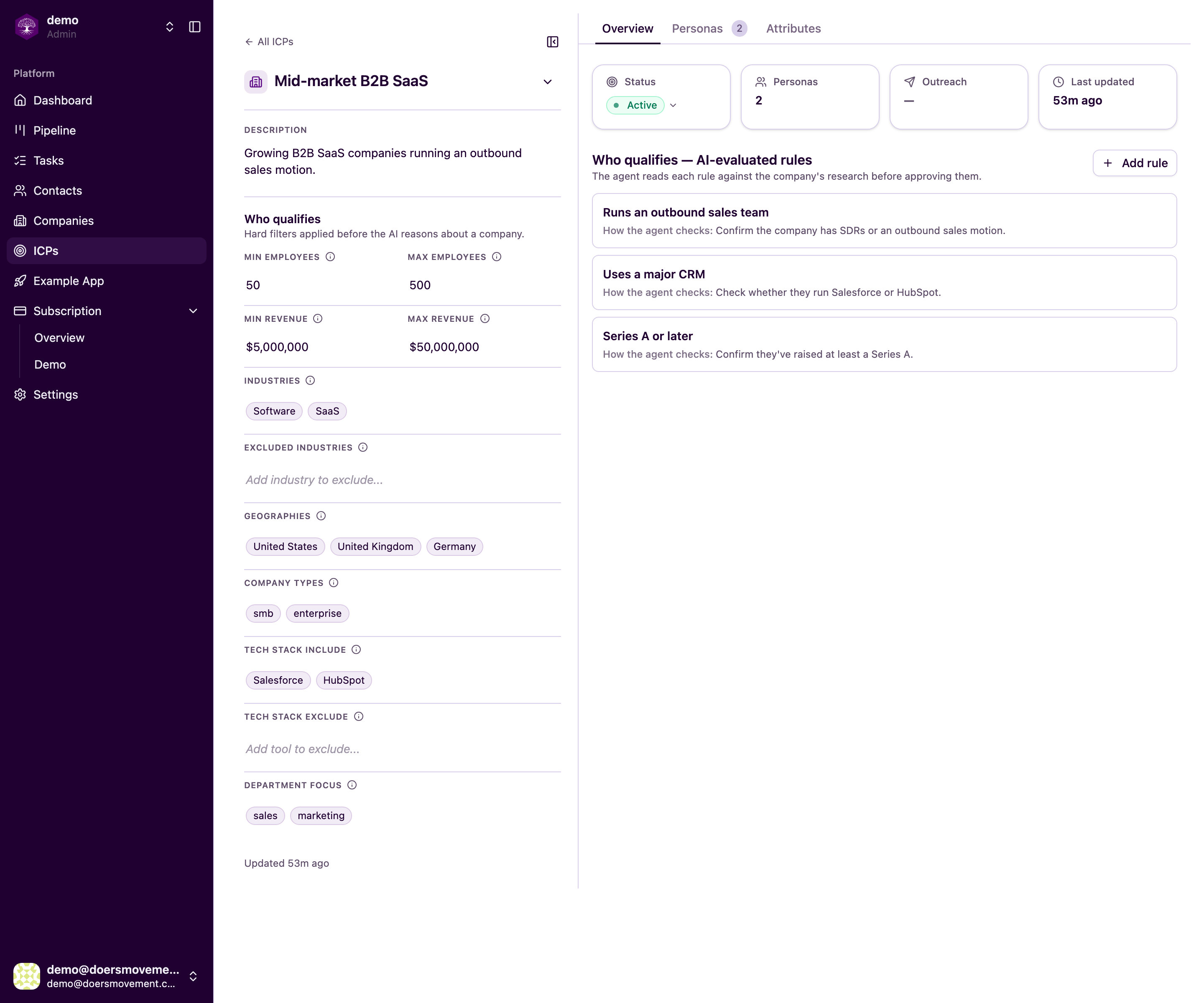
Open your ICP. On the Overview, find the AI-evaluated rules (under Who qualifies). This is the list of things your AI Agent checks before deciding whether a prospect qualifies.
-
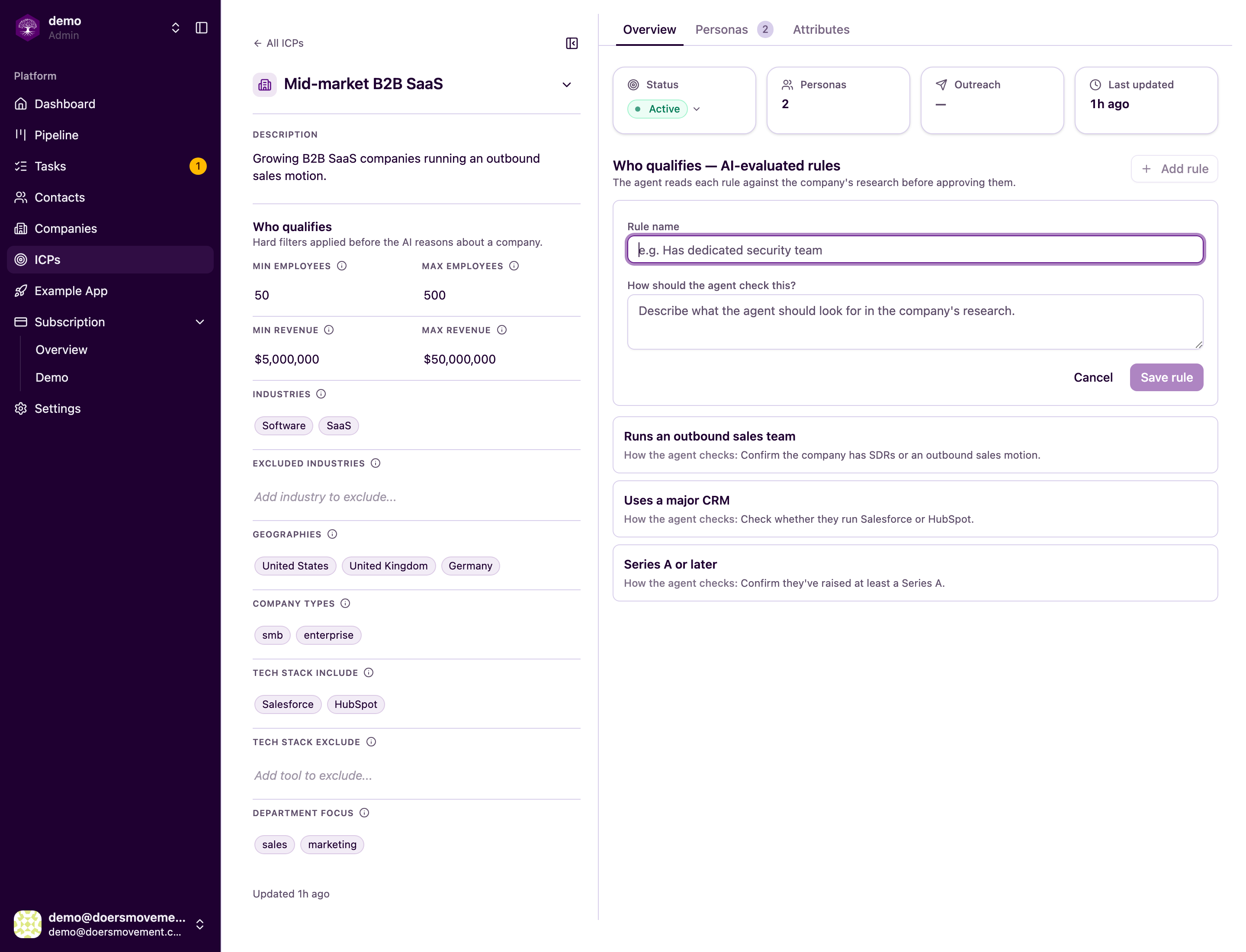
Add or edit a rule. Click Add rule, give it a name, and describe in plain words what the AI should check. Hover over any existing rule to edit or delete it. Write rules the way you'd explain them to a new salesperson.
-
Re-judge. Your changed rules mark earlier verdicts Outdated, but nothing is re-checked until you ask, so you only spend credits where you want a fresh answer. To re-check a company, open it and click Re-qualify next to its outdated verdict. To re-check a person, move the contact back to To Qualify: that re-scores the person using their company's current verdict, so re-qualify the company first. Or just ask your main AI Agent to do either. Nothing is overwritten; your earlier verdicts and history are kept, so you can always see how your thinking evolved.
You'll know it worked when… verdicts change to reflect the new rules.
If the ICP is locked, clone it first and edit the copy, see ICPs.