Qualify a batch at once
What you'll get: qualification verdicts on a whole group of prospects without doing them one by one.
Steps
-
Filter your Contacts list to the segment you want, by status, verdict, ICP, persona, company status, or owner. This narrows the list down to exactly the people you want to judge. A good batch to start with: pick your ICP, set Company status to Qualified and Status to New. That's everyone at a company you already know fits, who hasn't been judged yet.
-
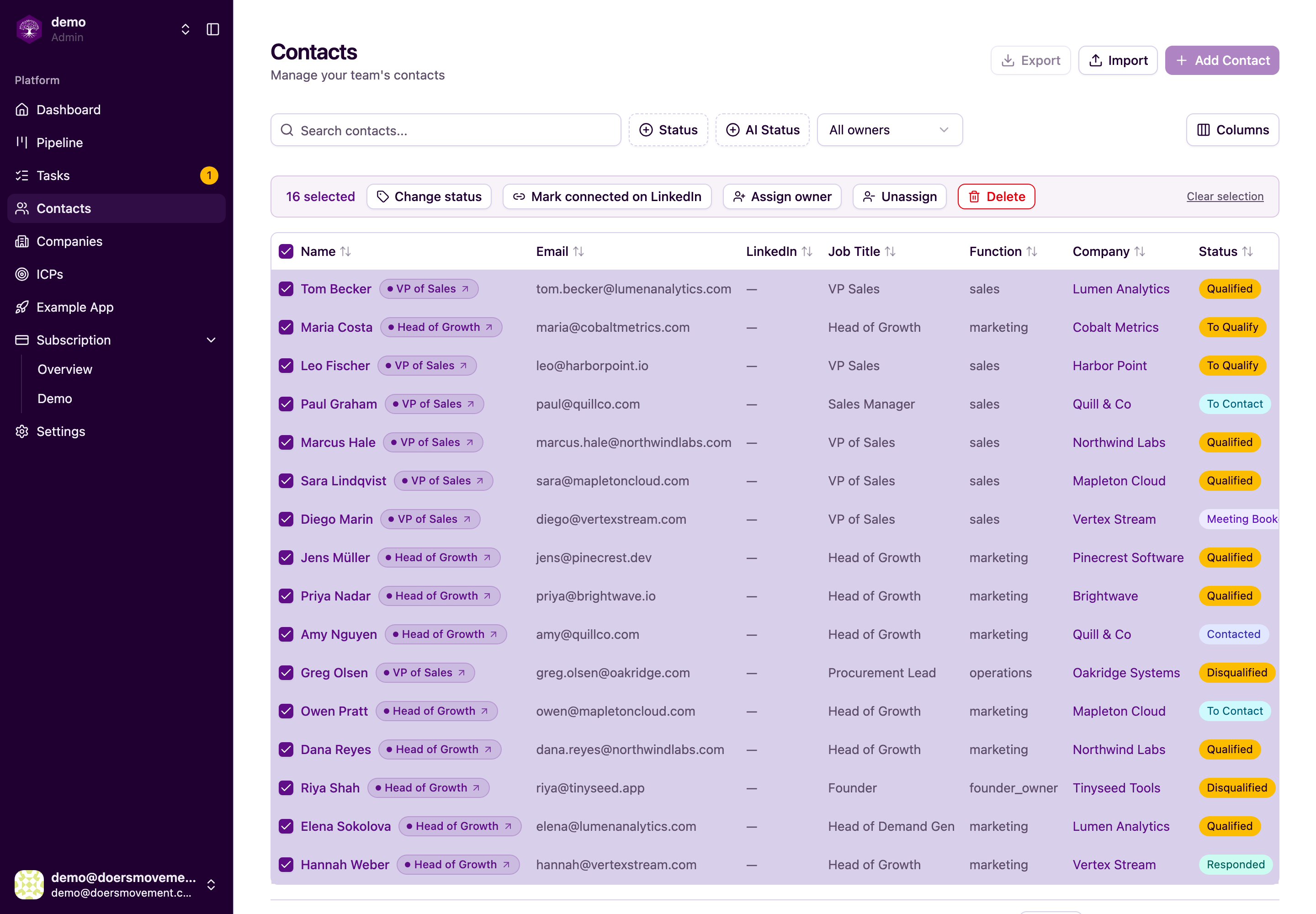
Select the rows. Tick the checkbox in the header to select everything on the list, or pick contacts individually. A bar appears at the top with bulk actions.
-
Click Change status → To Qualify. Your AI Agent looks at each contact, checks it against your ICP and persona, and writes a short verdict explaining the call. A contact that can't be qualified right now, for example because their company matches an ICP you've paused, is skipped rather than guessed at, and one message tells you how many were skipped and why. (See Starting AI work.)
You'll know it worked when… each selected contact shows a verdict, and your pipeline updates to reflect who's Qualified.
The same select-and-act trick works for To Research first (to gather facts before judging) or for assigning an owner across a whole batch in one move.