Connect your LinkedIn account
What you'll get: Doers Movement able to send connection requests and messages from your LinkedIn account — paced, and never without your approval.
Steps
1. Open your outreach settings. Go to your profile settings and find the LinkedIn card.
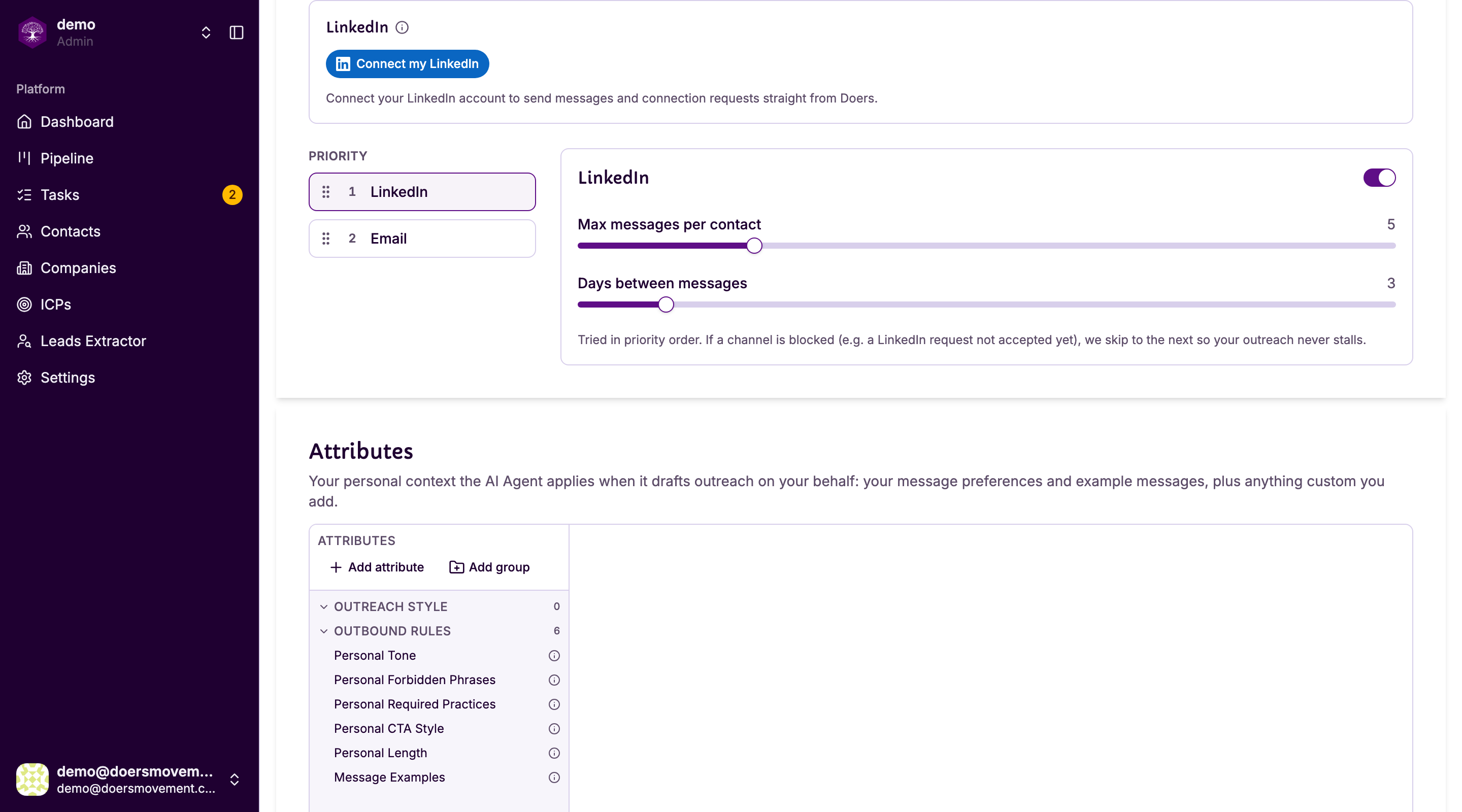
2. Click Connect my LinkedIn. A short dialog asks what should happen once you're connected.
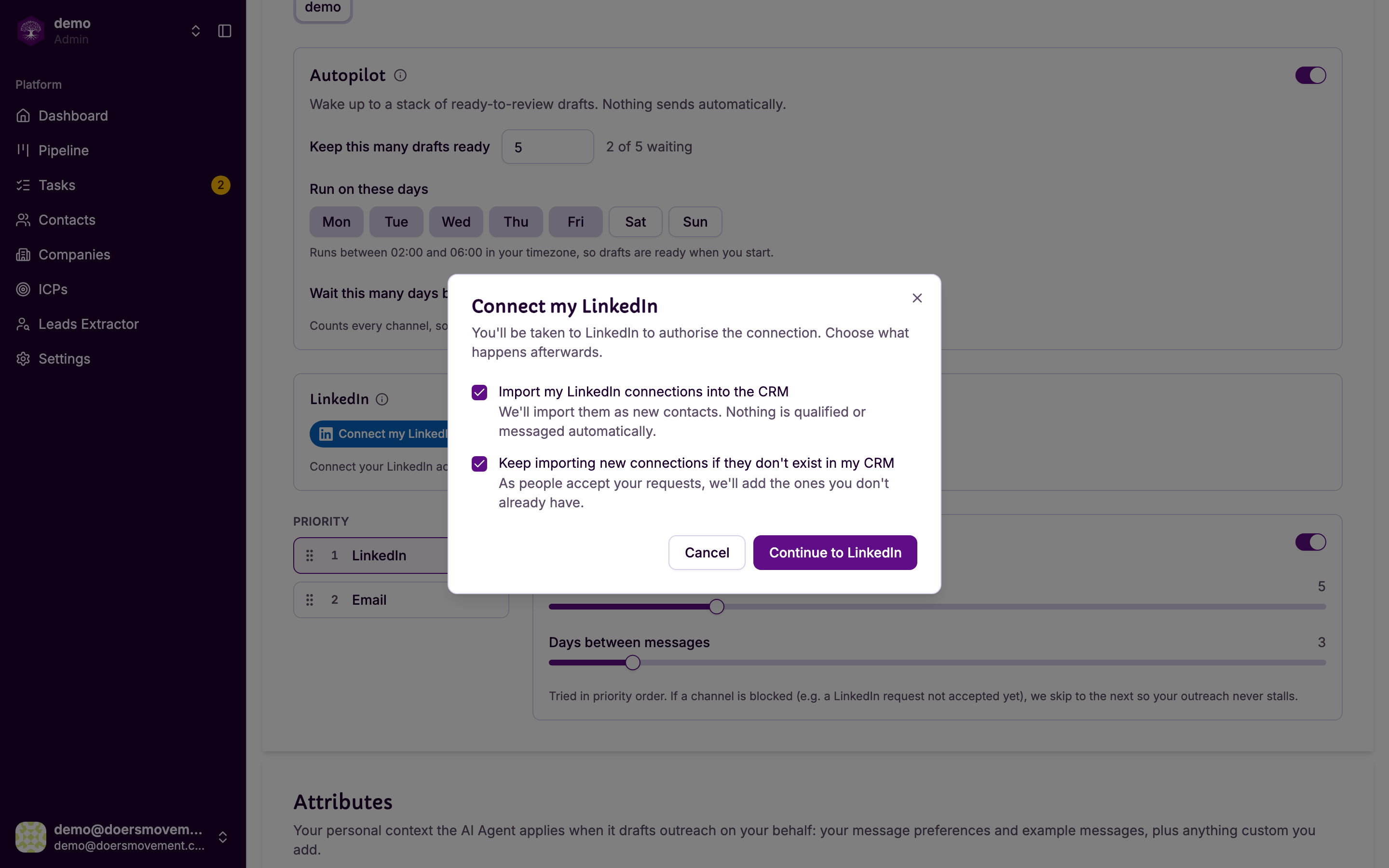
Import my LinkedIn connections into the CRM brings the people you're already connected to in as contacts. Nobody is messaged, and full qualification only starts when you ask for it. Your AI Agent screens them, for free, to point you to the most promising people: see Possible Fit and screening.
Keep importing new connections if they don't exist in my CRM keeps that going as your network grows.
Both are on by default. Untick the first if your network is mostly friends and former colleagues rather than prospects.
3. Click Continue to LinkedIn. A LinkedIn window opens. Sign in there as you normally would, then close it when LinkedIn is done.
You sign in on LinkedIn's own page. Doers Movement never sees or stores your LinkedIn password.
4. Set your limits and working hours. The card now shows your account, your daily limits and your working hours.
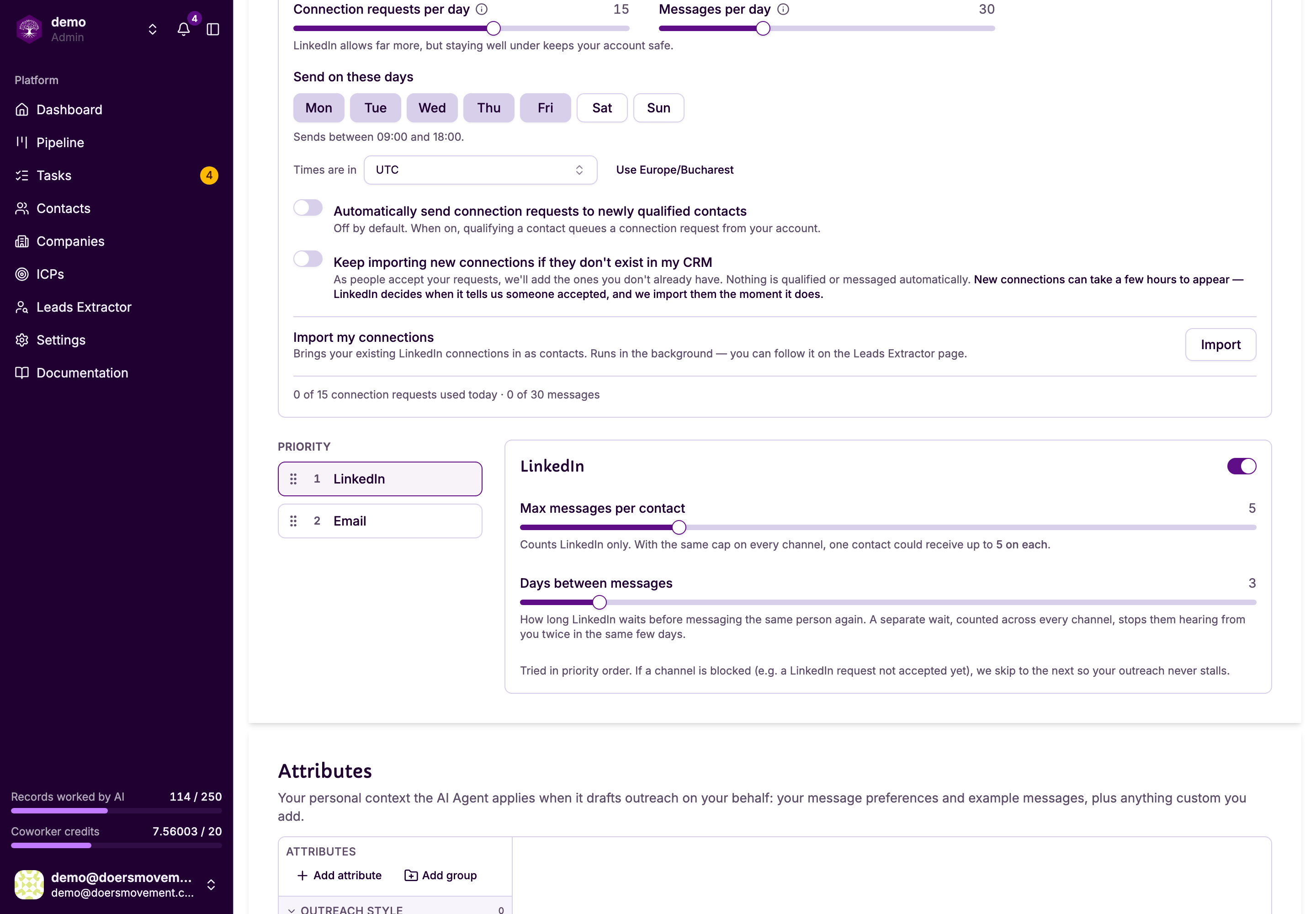
- Connection requests per day and Messages per day — as the card says, "LinkedIn allows far more, but staying well under keeps your account safe." Your two limits have to fit inside your working hours — if they don't, we'll tell you which number to change.
- Send on these days — untick weekends if that's not your pattern.
- Working hours — drag either end of the slider to set when sending happens, in your own timezone. Set a day longer than 15 hours and you'll see a warning: a day that long doesn't look like a person.
Start lower than you think you need, especially on a newer account. You can raise the limits any time; you can't undo a restriction.
5. Watch your network arrive. If you asked for the import, the confirmation gives you a Track progress link. You can also open Leads Extractor any time.
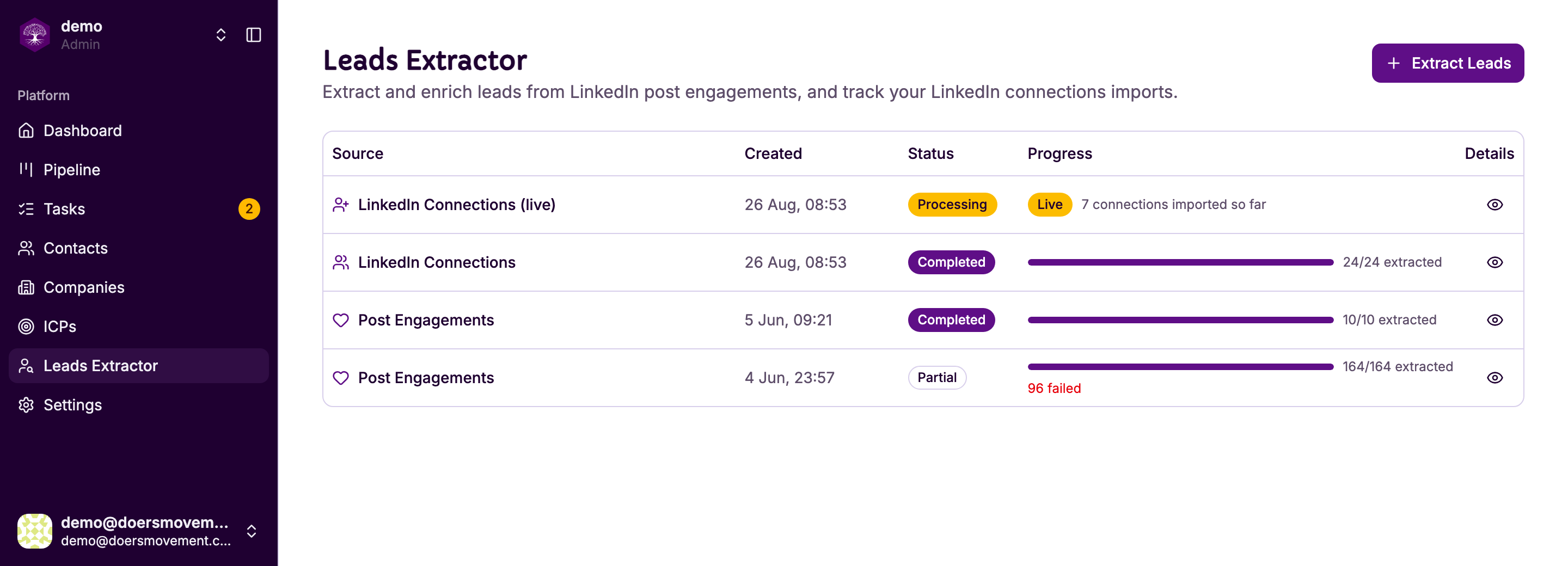
LinkedIn Connections is the one-off import and finishes. LinkedIn Connections (live) is the ongoing one — it stays Live and counts up as people connect with you, so it never says Completed.
You'll know it worked when… the card shows your name next to a Disconnect button, and a line at the bottom reads "0 of 15 connection requests used today."
Related
- Send a connection request and a message
- Staying safe on LinkedIn
- Connect your account
- Leads Extractor: where imports are tracked