Add a custom attribute the AI should track
What you'll get: a new piece of knowledge the AI researches on every prospect, and can qualify on.
Every business sells a little differently. If there's a fact that matters to your sale, teach the AI to track it.
Steps
-
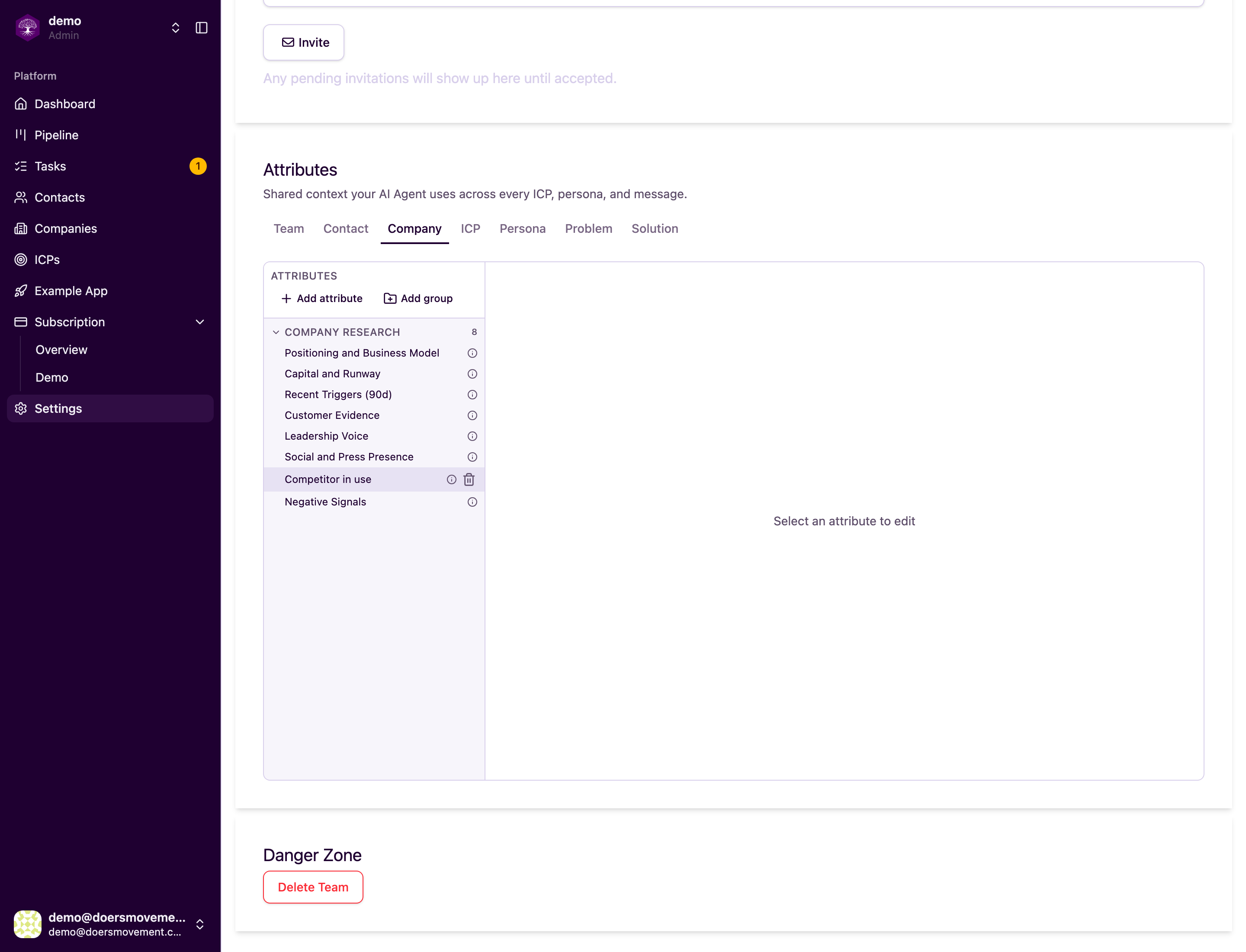
Open Team settings → Attributes. Pick the tab for what the fact is about: Company, Contact, ICP, Persona, or Team.
-
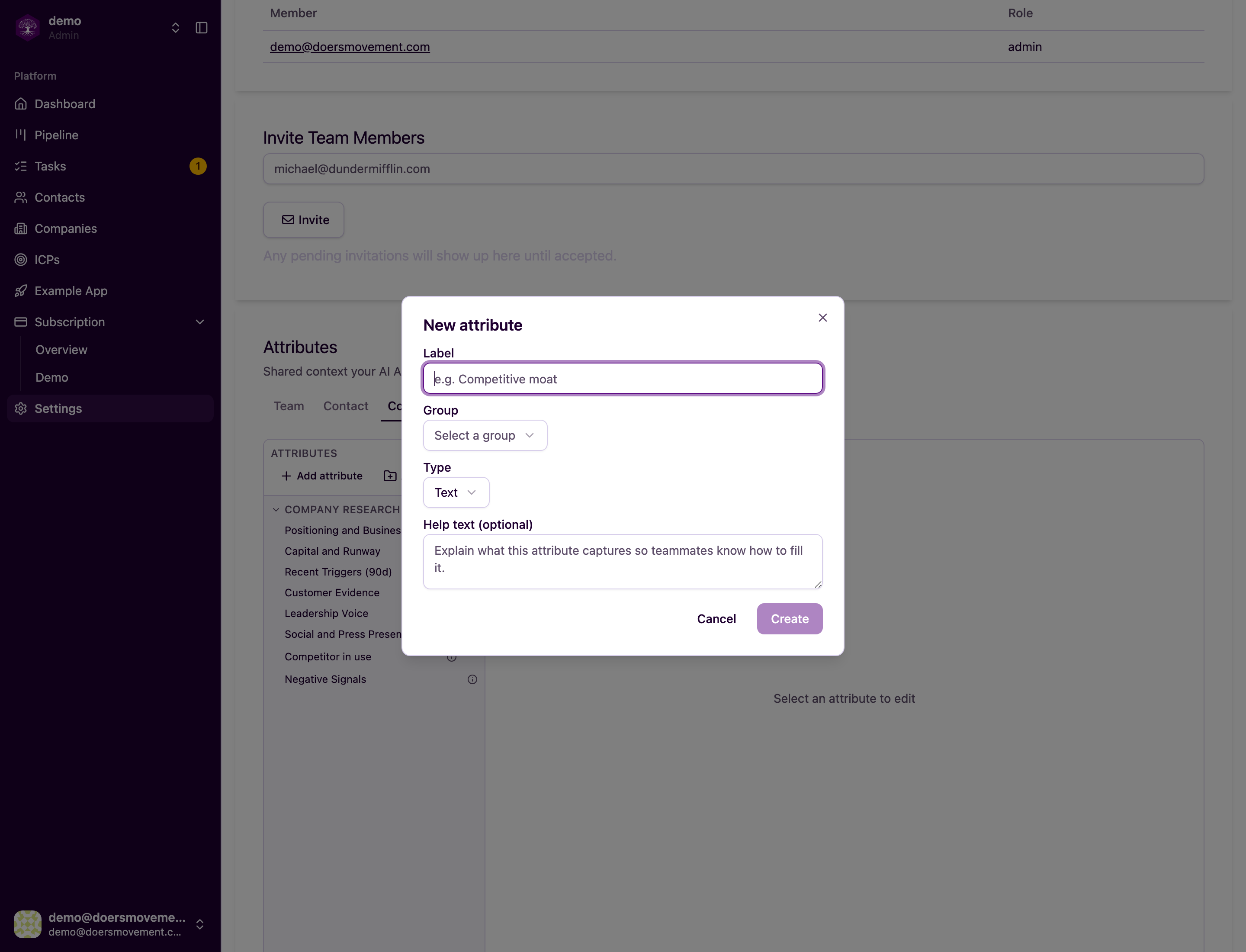
Click Add attribute. Give it a name (e.g. "Competitor in use") and describe what the AI should look for. That description tells the AI exactly what to gather.
-
Put it to work. The AI now researches it like any built-in fact, and you can turn it into a qualification rule so the Qualifier checks every prospect on it.
You'll know it worked when… the new field appears on that type of record, ready to fill in.
Add a field once and it shows up on every record of that type.