Research and qualify your list
What you'll get: a clear verdict (Qualified, Disqualified, or Insufficient data, meaning not enough info yet) on every prospect, with the reasoning.
Steps
-
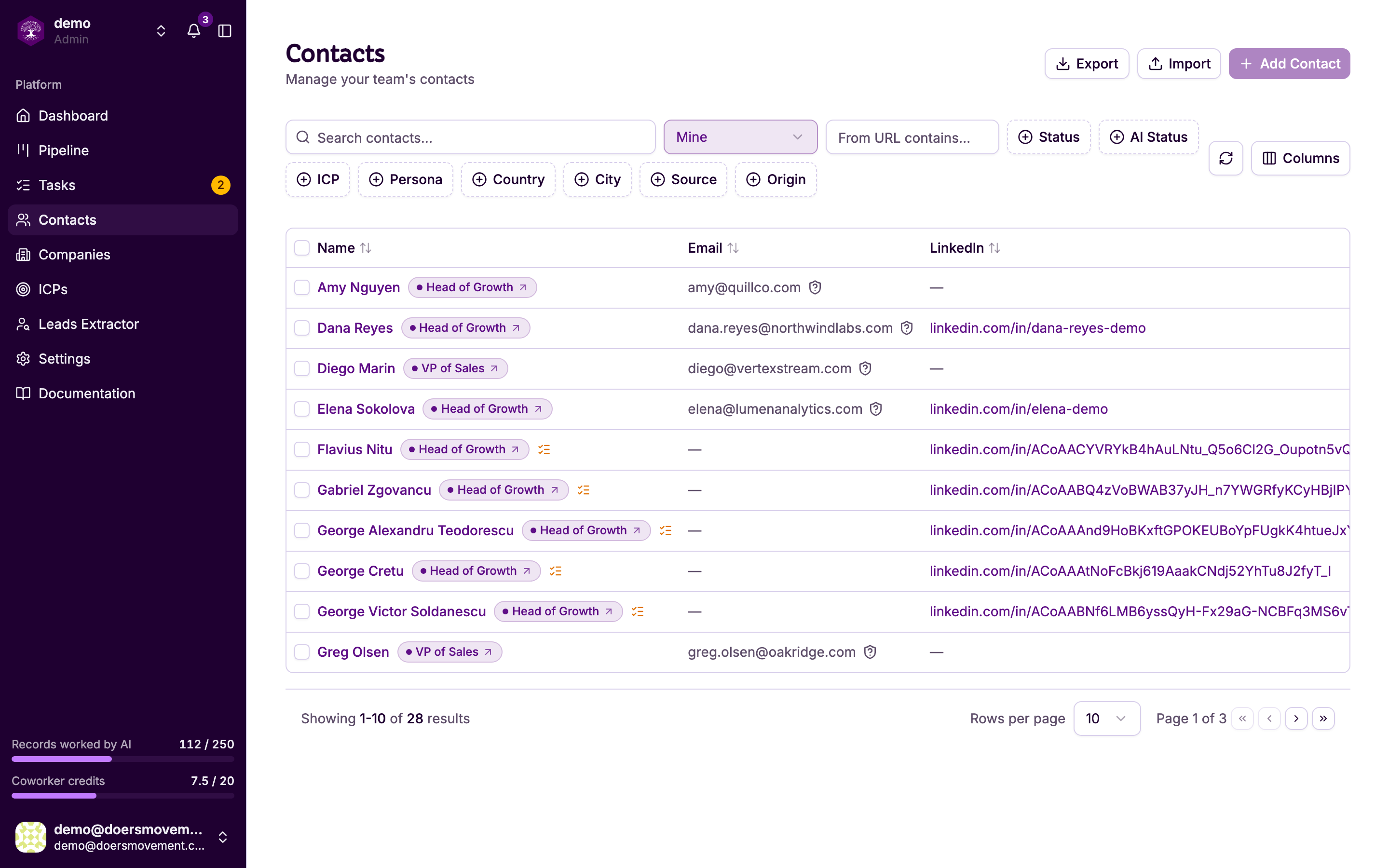
Pick who to work on. In your Contacts list, tick the people you want (or open one).
-
Start the AI. Move them into an AI stage. Use the Status control or the bulk Change status button and choose To Research, then To Qualify. (See Starting AI work.) The AI doesn't run on its own; each move kicks off the next step.
-
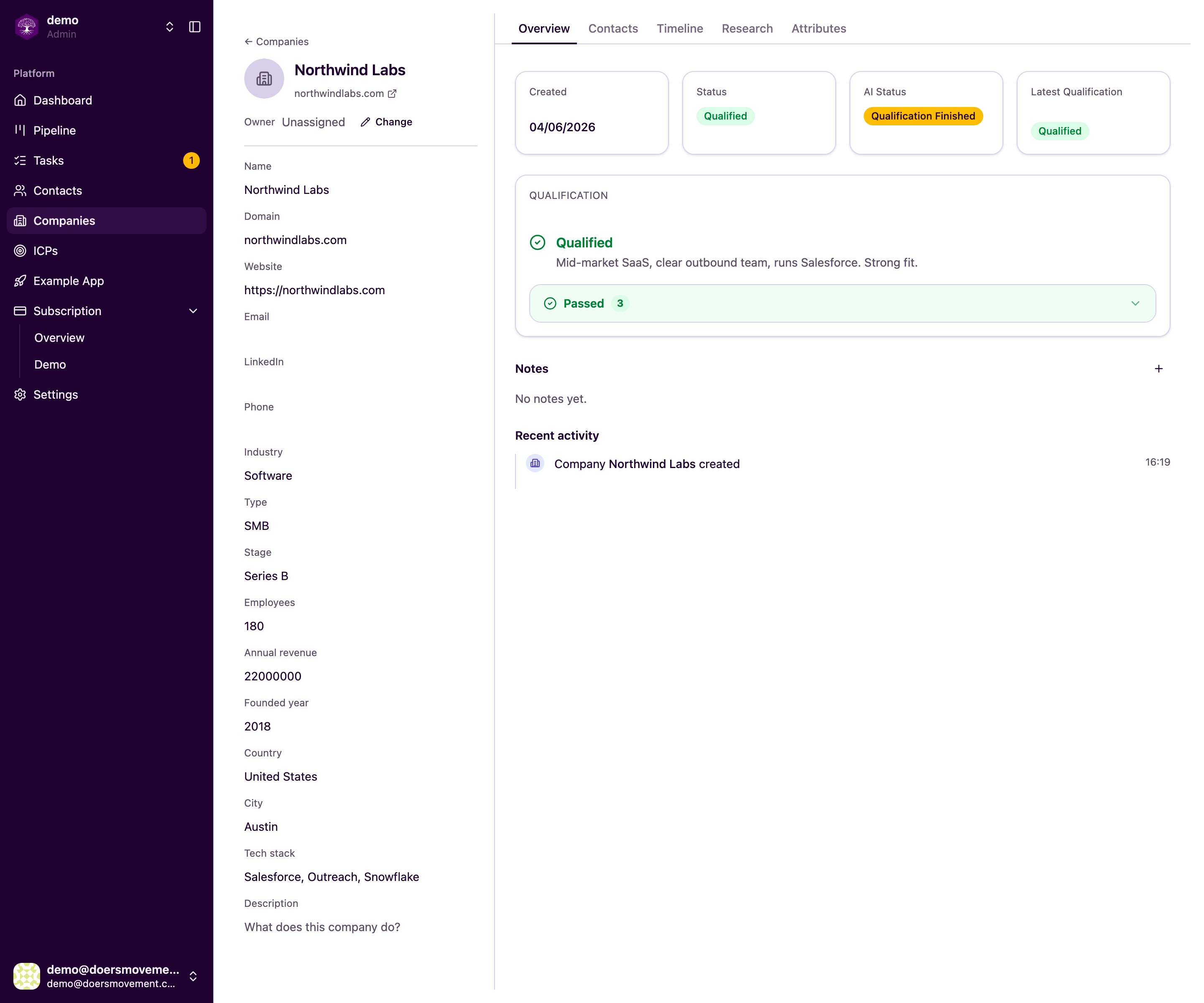
Read the company verdict. Open a company to see its verdict and the firmographics behind it.
-
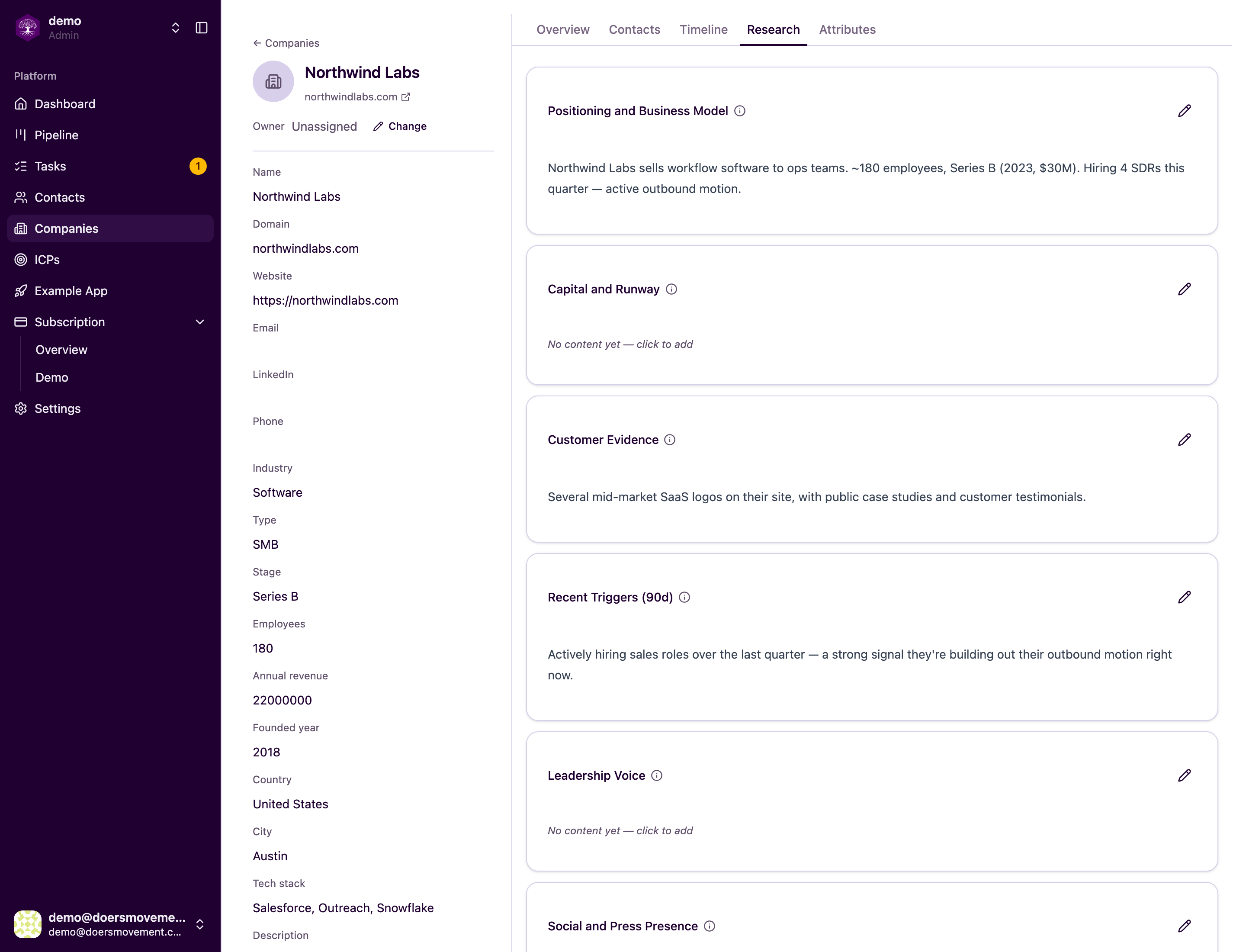
See what the AI found. The Research tab holds the write-up the Researcher gathered, with sources.
-
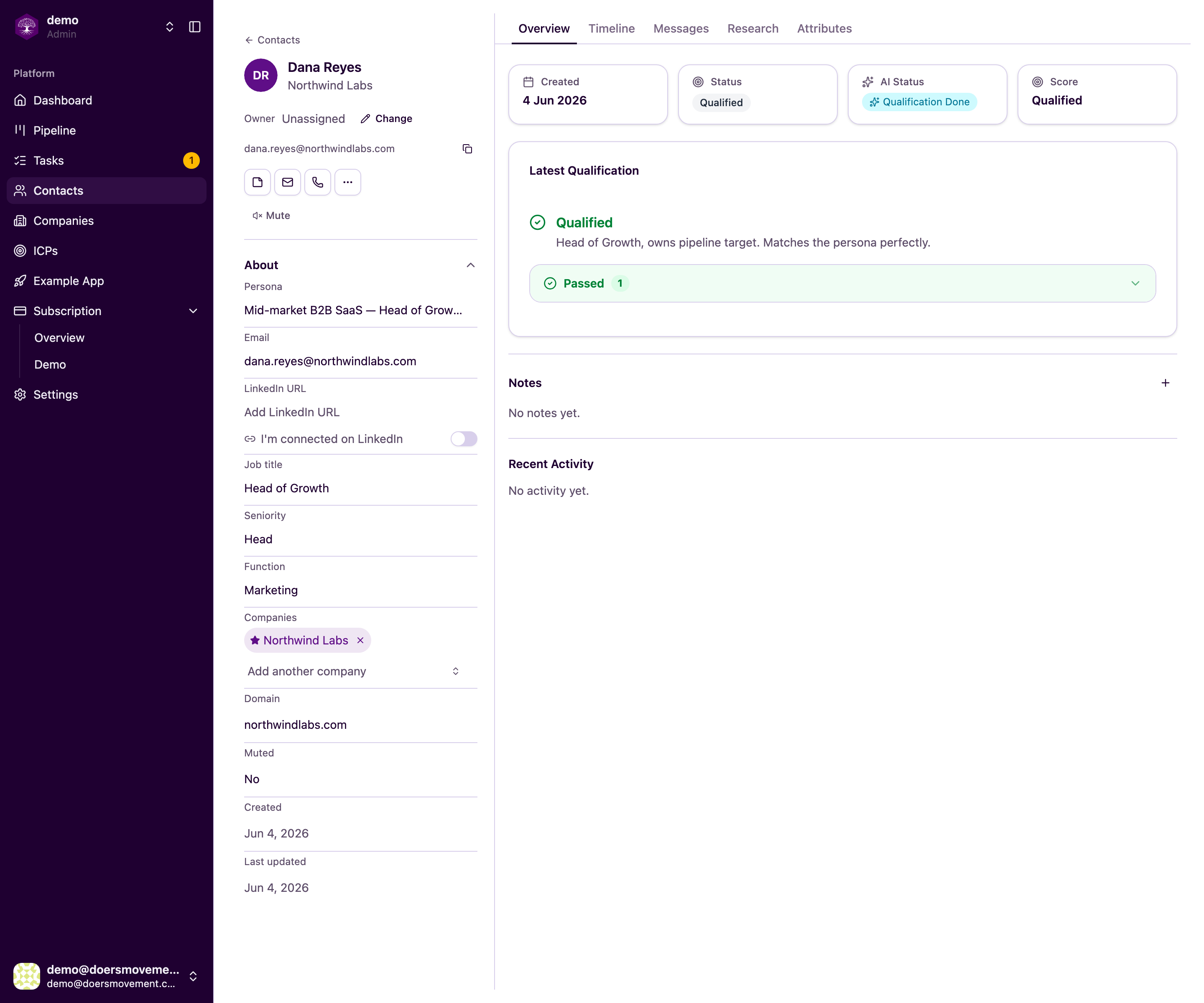
Check the contact's verdict. Open a contact to see their verdict and score.
-
Watch it on the Pipeline. Cards carry their verdict and persona so you can see at a glance who's worth pursuing.
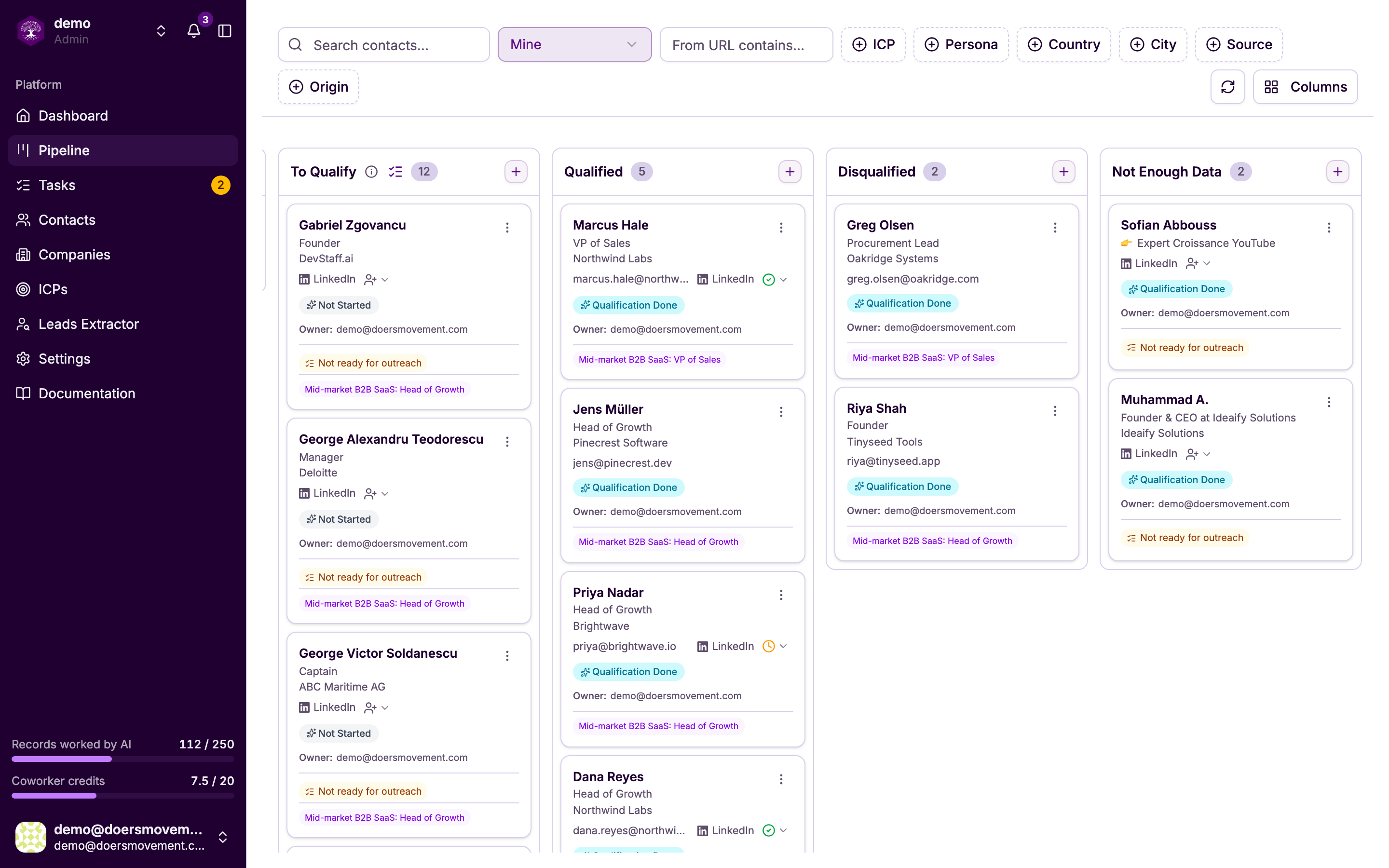
You'll know it worked when… each prospect shows a verdict with reasoning, and the pipeline colors update.
Insufficient data just means the AI couldn't find enough yet. Add detail or research again.