The Researcher
The Researcher is your fact-finder. Point it at a company or a person and it digs up the details from across the web and LinkedIn, then writes a tidy summary you can actually use.
What it finds
- Funding and recent raises
- Company size and headcount
- Tools and technology they use
- Recent news and announcements
- Key people and decision-makers
How to start it
The Researcher goes to work as soon as a company or a person qualifies, so the leads that fit are ready for a first message. You can also start it yourself at any time: ask your main AI Agent ("research this company", "refresh the research on Acme") or click the sparkle button (Run AI research now) on a record's Research tab. Your AI Agent tells you whether it's new research or a refresh, and how many credits it uses. See Starting AI work for every way to kick it off and what needs to be in place first.
If you'd rather choose who gets researched, an Admin can turn the automatic part off for the whole team in Automatic AI work.
Where to see the results
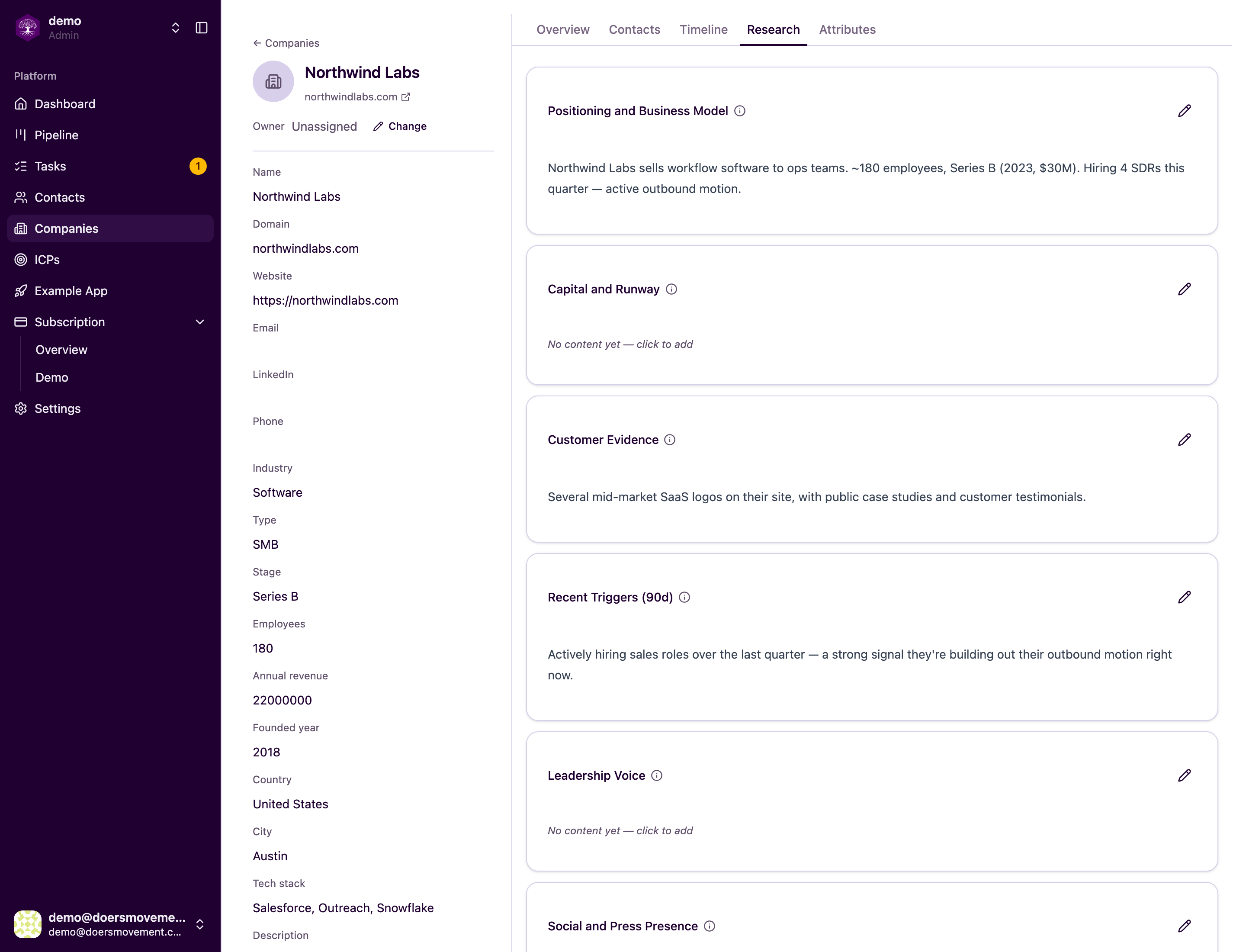
Findings land on the Research tab of the contact or company. Everything is laid out clearly, so you can skim it in seconds before a call or before deciding who to chase.
It doesn't waste your time (or money)
The Researcher reuses recent findings instead of redoing work that's already fresh. Before a message is written, research older than your team's limit — 14 days unless you change it — is brought up to date first. A refresh costs the same credits as research. You set that limit, and whether the refresh happens at all, in Automatic AI work.
Every fact the Researcher reports is tied back to a source. That means you can trust what you see, and double-check it yourself whenever you want.